Translate the sentence, not just the word: how to use it without leaning on it
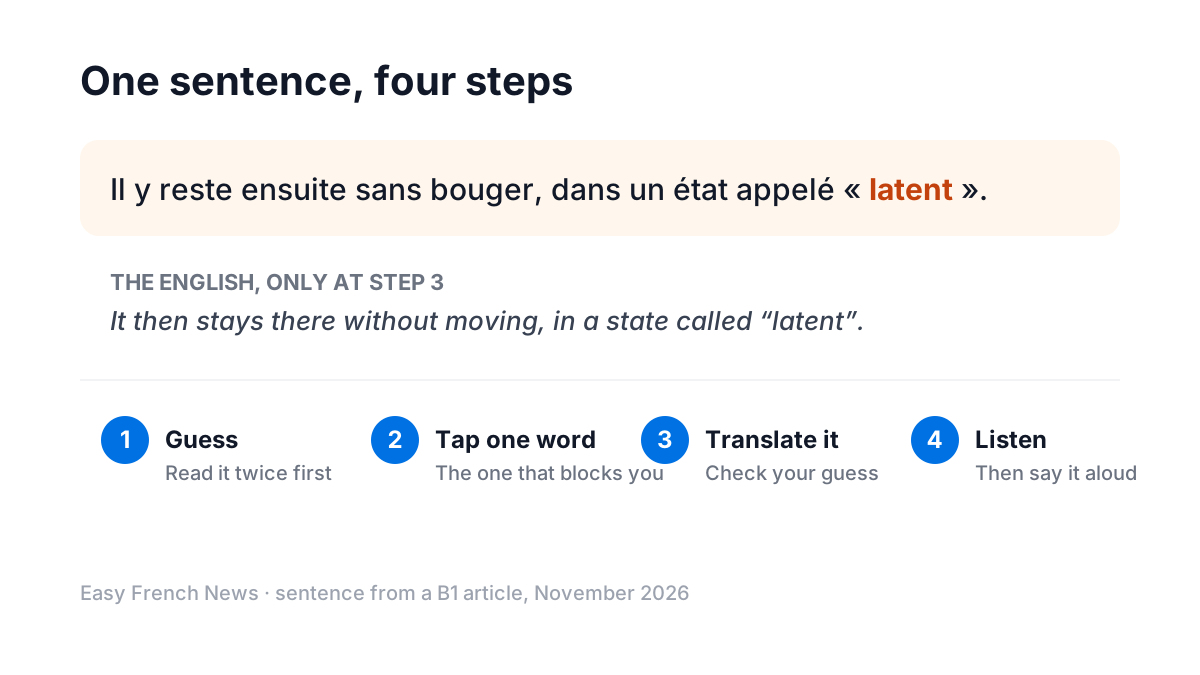
For a long time the only help on this site was a word. Tap latent and you got "latent". That's often enough, but it isn't always: a reader can know every word in a French sentence and still not see how it fits together. So since November, a tap also offers the whole sentence in English. Here is how I'd use it, and how I wouldn't.
Guess first, then check
A translation you read before you've tried is a translation you'll forget. The order that works:
- Read the sentence twice, out loud if you can. Decide what you think it means, even roughly.
- Tap the one word that stops you. Not every word: the one without which the sentence makes no sense.
- Only then, translate the sentence. Compare it with your guess. Where were you wrong? A pronoun? A tense? A negation you missed?
Step 3 is the useful one. The gap between your guess and the English is exactly what you didn't know yet, and that is far more memorable than a translation you read cold.
When a whole sentence is worth translating
- Pronouns that point backwards. In Il y reste ensuite sans bouger, the il and the y refer to the previous sentence. Word by word, you get "he there stays"; the sentence gives you "it then stays there".
- Negations and restrictions. ne… que, ne… plus, ni… ni change the meaning of the whole sentence and are easy to misread one word at a time.
- Long B1 and original sentences. When a sentence runs over two lines, the structure is the difficulty, not the vocabulary.
And when not to: if you understood the sentence, don't check it "just in case". Every translation you don't need is a moment you spend reading English.
How many a day?
A free account translates five sentences a day; Plus has no limit. Five is a good number even if you could have more: it forces you to choose the sentences that really blocked you. If you find yourself wanting twenty, the article is probably one level too hard, and switching down from B1 to A2 will teach you more than twenty translations.
Then listen to the same sentence
Once a sentence makes sense, hear it. Press listen on the article, and tap a sentence while it plays to hear it again from there. With Plus, new articles are read by a natural French voice, with a player that steps back and forward one sentence at a time, which makes it easy to hear the sentence you just translated two or three times. Then say it yourself. A sentence you have read, understood, heard and said is one you'll recognise next time, in print or on the exam's listening paper.
For a full routine built on this, see dictation and shadowing with the news.